MP2 to MP4MP2 to MP4 Converter, Convert MP2 to MP4 |
 |
| Home | Getting Started | Download | Buy Now! | Screen Shots | FAQ | Support | Contact |
MP2 to MP4 software converts MP2 to MP4 with high quality and fast speed. With a simple user interface, the software is very easy to use. Just several clicks, the converter converts MP2 files to MP4 successfully. The software supports MPEG4 and H.264 codecs for MP4 file, and supports M4V that Apple products such as iPod, iPhone, iPad use. Besides MP4, the converter converts MP2 to popular media formats and portable devices, for example, iPod, MPEG, MKV, DivX, H.264, FLV, VOB, 3G2, OGG, WMV, and so on. The software also supports almost any video and audio file formats. It converts MJPEG to BlackBerry, DV to WMV, DIF to BlackBerry, QT to MP4, 3G2 to VOB, 3GPP to WMV, XVID to BlackBerry, MJPEG to H.264, and so on. MP2 to MP4 software supports batch conversion and is full compatible with 32-bit and 64-bit Windows 10/8/7/Vista/XP/2000.
What is MP2? MP2 began in the late 1980s as part of the ISO's Moving Picture Experts Group (MPEG) effort to standardize digital audio and video encoding for digital radio and TV broadcasting (DAB, DMB, DVB), and use on Video CD. The MPEG-1 audio standard was based on the existing MUSICAM and ASPEC audio formats. The MPEG-1 standard, including the three audio "layers" (encoding techniques) now known as MP1, MP2 and MP3, was finalized by December 1991 in the committee draft of ISO-11172. MPEG audio was further promoted due to its Layer III (MP3) component, which allowed for even lower bitrates. What is MP4? Step-by-Step Instructions to Converting MP2 to MP4
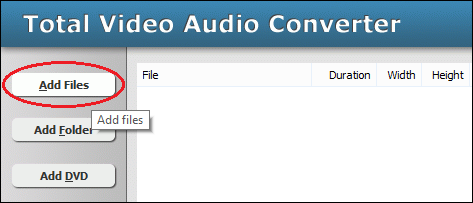 Click "Add Files" to choose MP2 files and add them to conversion list. 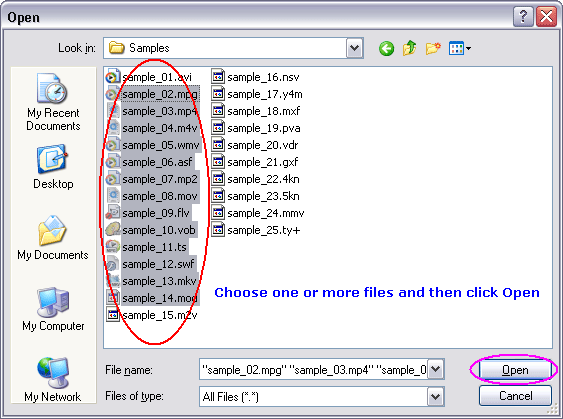 Choose one or more MP2 files you want to convert and then click Open. 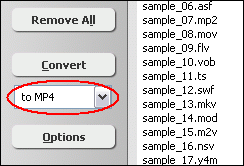 [Optional] If you want to change MP4 encoding parameters, for example, vodec codec, bit rate, frame rate, video size, and aspect ratio, please click "Options". 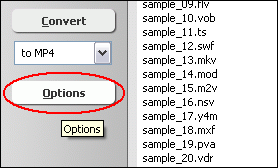 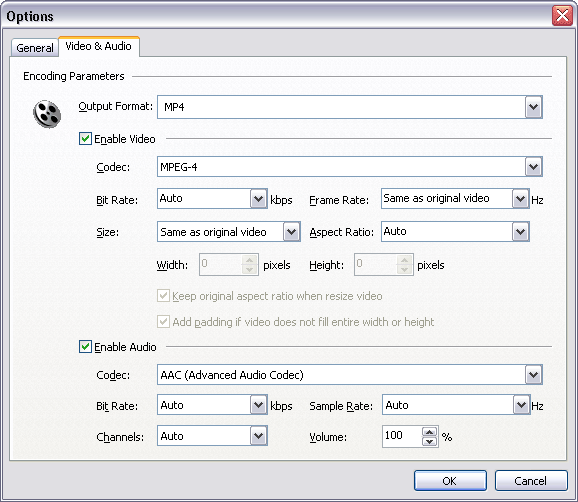 [Optional] Switch to tab "Video Options" and then set encoding parameters. 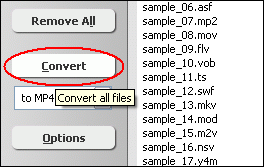 Click "Convert" to convert MP2 files to MP4. 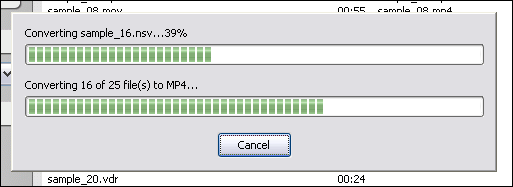 The software is converting MP2 to MP4. 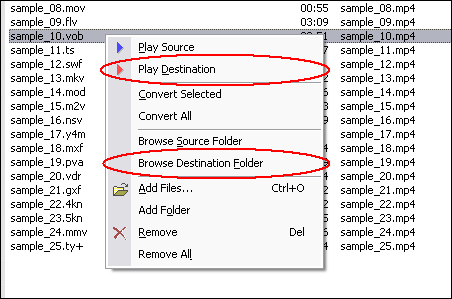 When conversion completes, you can right-click converted item and choose "Play Destination" to play the outputted file; or choose "Browse Destination Folder" to open Windows Explorer to browse the outputted file. MP2 to MP4 Software is 100% clean and safe to
install. It's certified by major download sites. Convert MP2 to MP4 Related Topics:
|




| Home | Getting Started | Download | Buy Now! | Screen Shots | FAQ | Support | Contact | Links |
| Copyright © 2008-2017 Hoo Technologies All rights reserved. Privacy Policy |